For Canadian card-show vendors

You connect. We track.

The deal app for card-show vendors. Put the cards on the table; Twelve Pocket works out the cash, the profit and your stock.

  1. Scan the cards going out and coming in
  2. Confirm the cash it suggests
  3. The books do themselves ledger and stock update
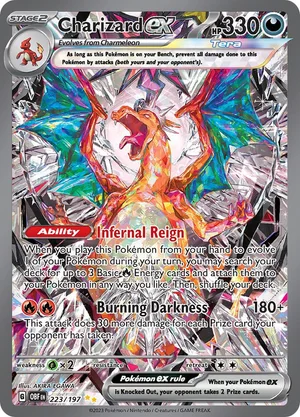
OutCharizard ex soldCA$100
InUmbreon VMAX bought−CA$80
CashThey pay youCA$20
Example deal: sell at 100% of market, buy at 80%.

Free to run your table. Pro from US$14.99 a month. Works with no signal.

CA$
Canadian prices from the first screen
No signal
Deals save on your phone and sync later
Your games
Pokémon, Magic, Yu‑Gi‑Oh!, One Piece, Riftbound and more

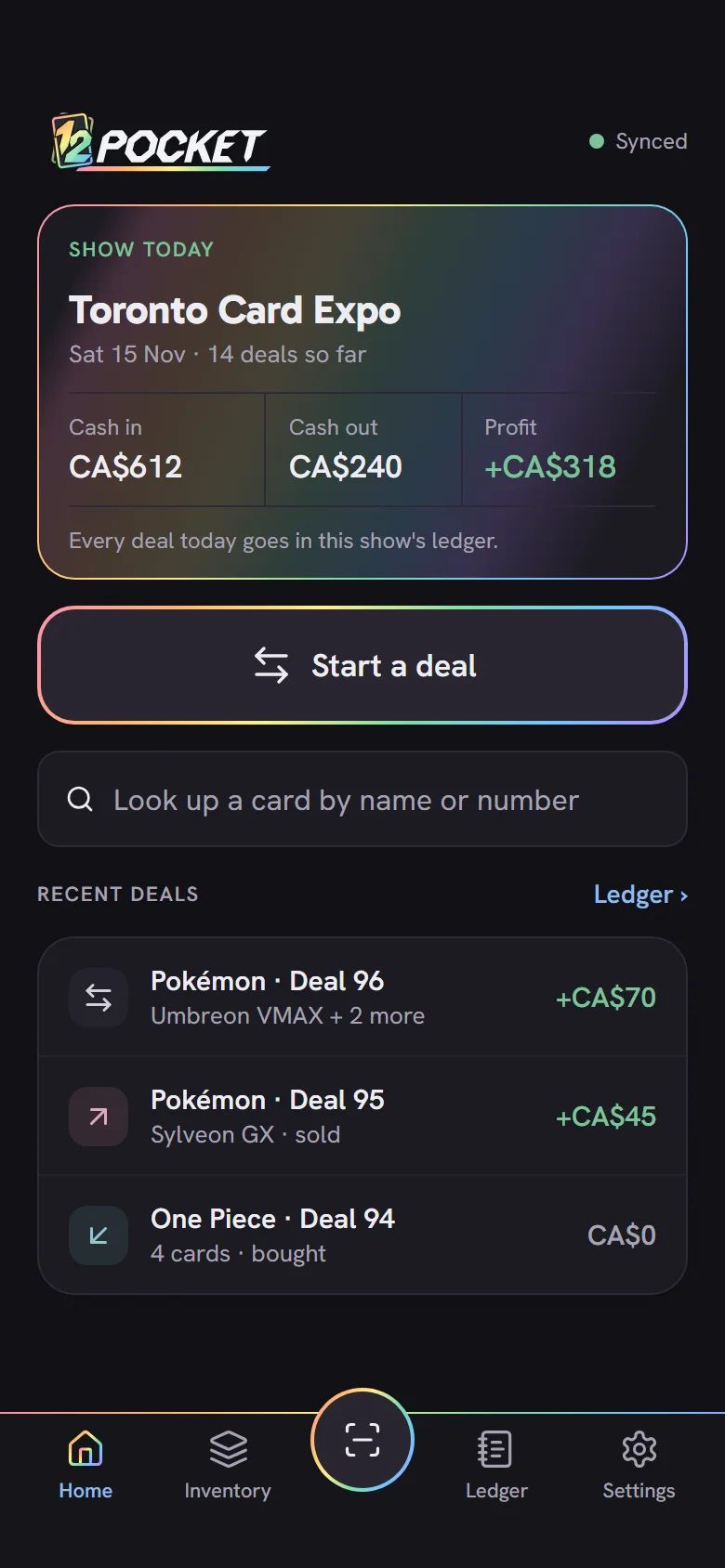
Twelve Pocket's Home screen: today's show with cash in, cash out and profit, a Start a deal button and recent deals

Example show and prices.

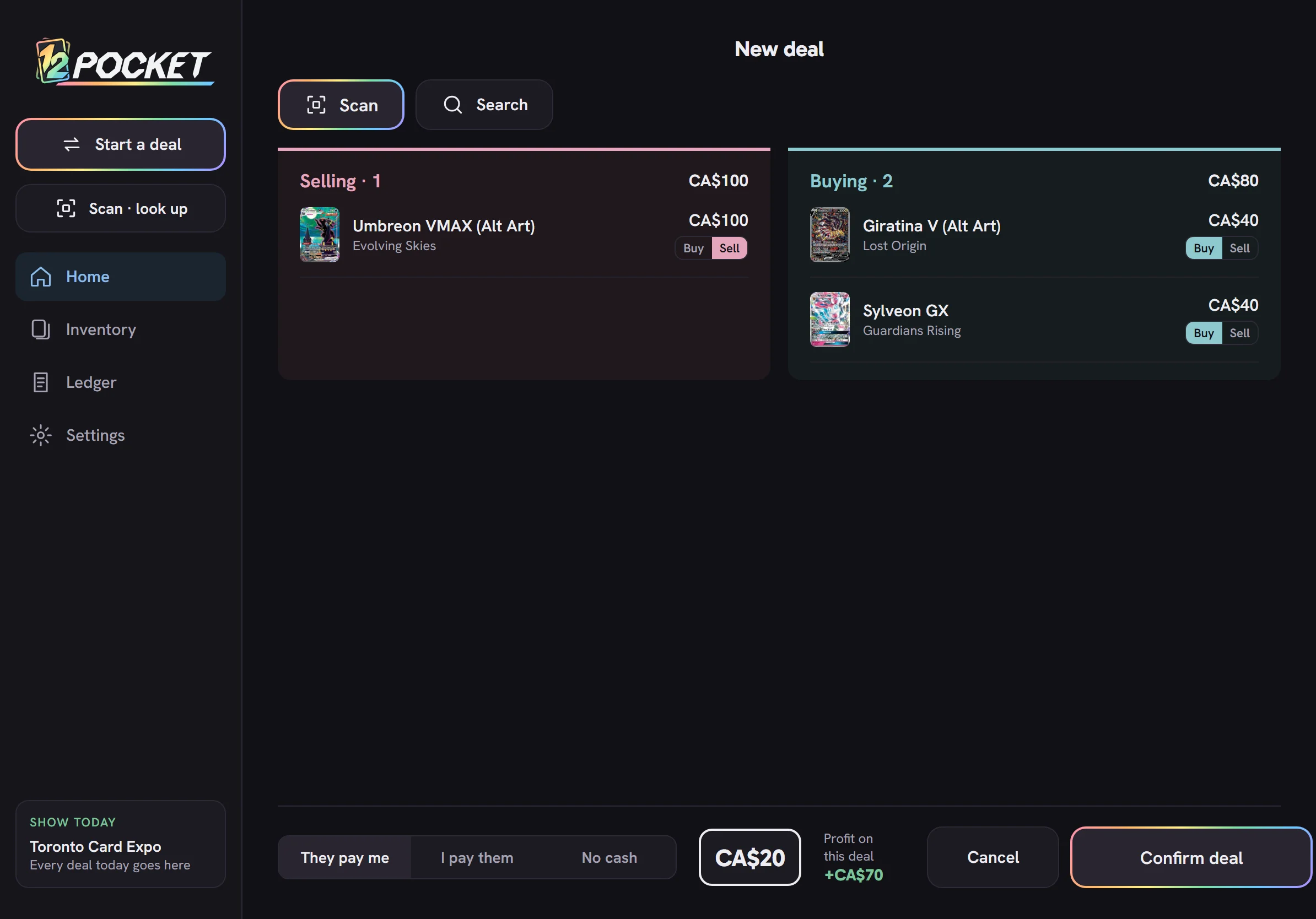
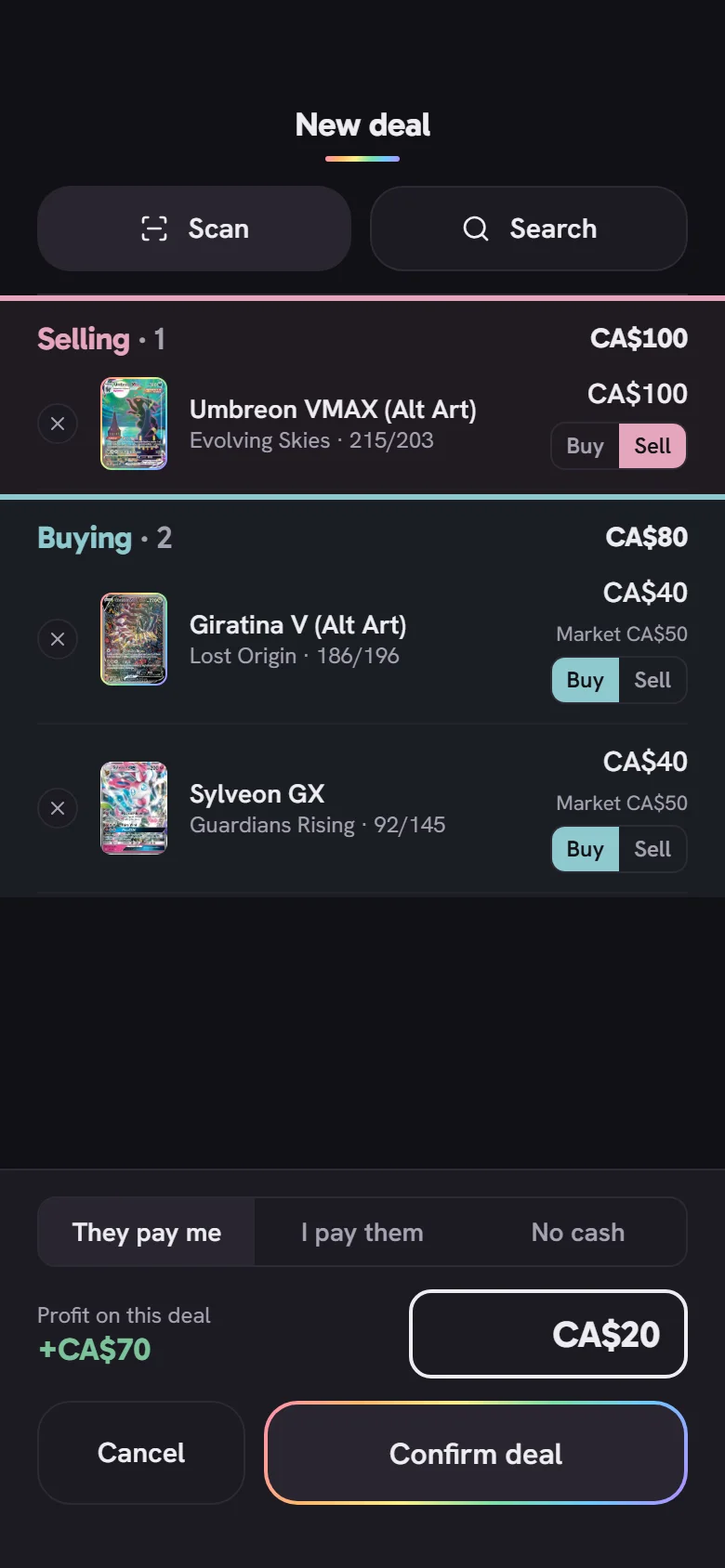
Make a deal right here.

Cards you sell go at your sell % of market, cards you buy at your buy %, with one cash figure between them. Profit counts when a card sells; what you pay for a card is its cost.

  • Tap Scan or Search to add the next card
  • Flip a card between Buy and Sell
  • Add the cash and confirm the deal

Example cards and prices.

New deal
Selling · 1CA$100

Flip a card to Sell, or scan one.

Buying · 2CA$80

Scan a card they're selling you.

Profit on this deal
+CA$70
Buying CA$20 under market

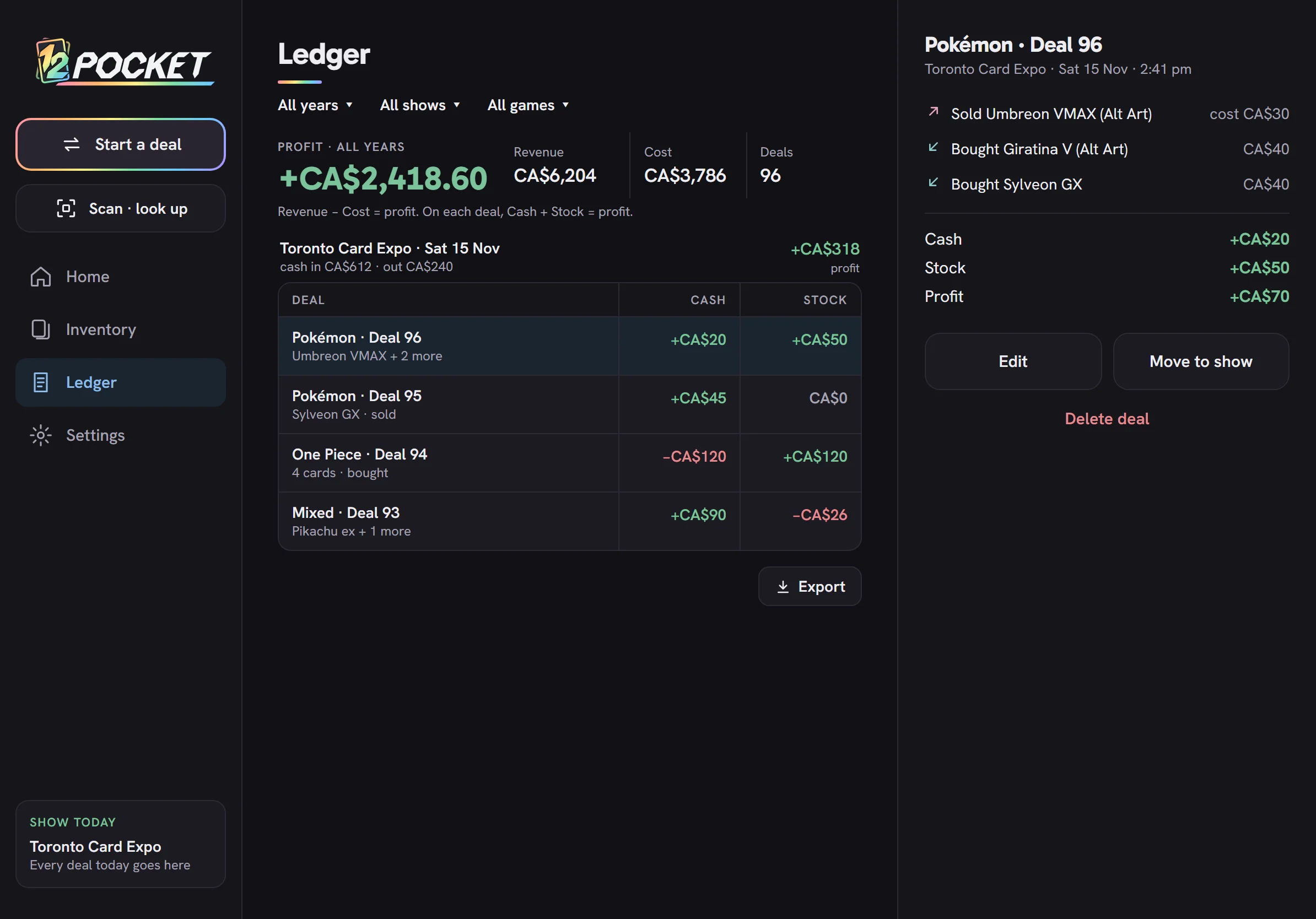
Know what every show made.

Every deal lands in your ledger and your stock the moment you confirm it. Each show gets its own summary, down to the cash box, so you know what the weekend made before you pack up.

  • A directory of shows in Ontario
  • Revenue, cost and profit for each show and each year
  • Export it for your accountant
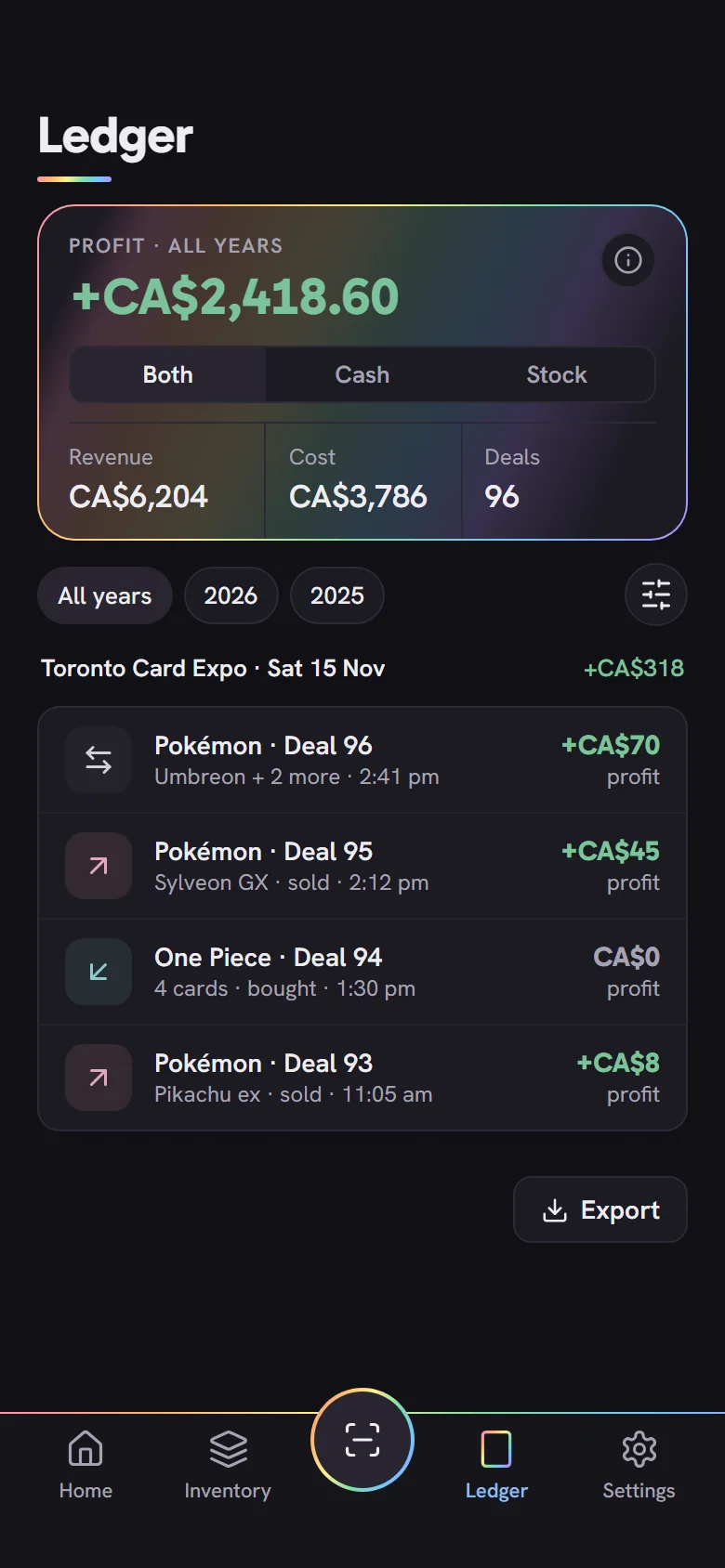
The Ledger: profit for all years, then the Toronto Card Expo's deals, each marked with its profit
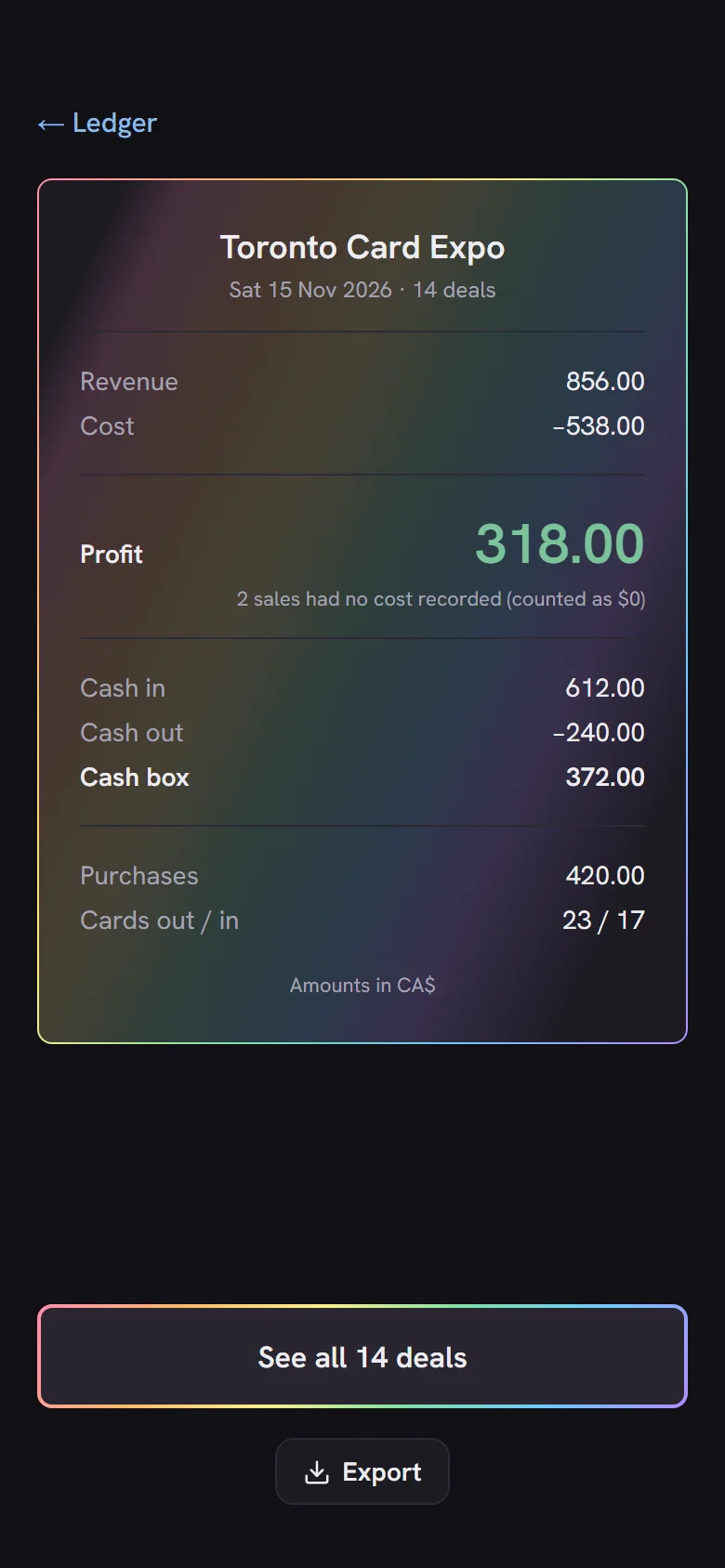
A show summary: revenue, cost, profit, cash in, cash out and the cash box for one show

Example show and prices.

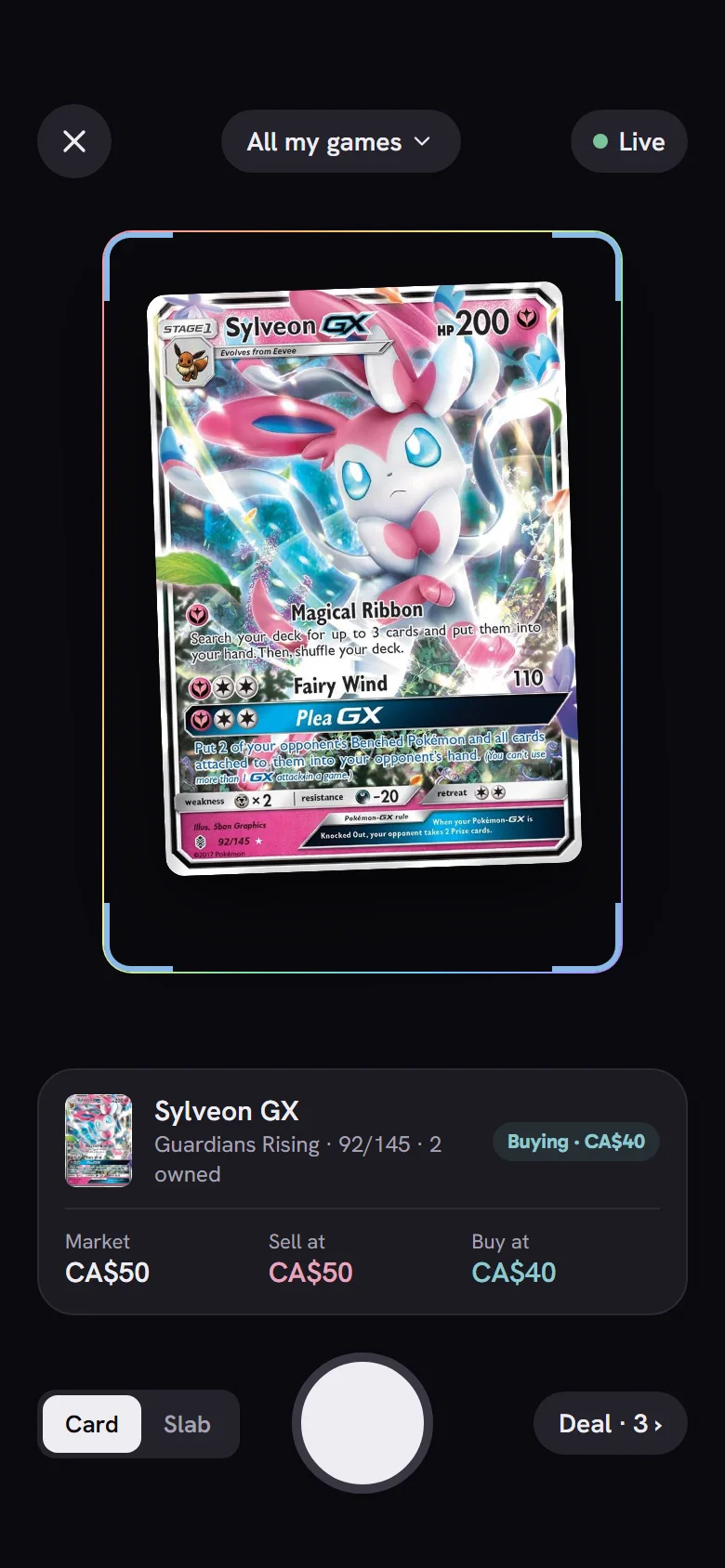
Point the camera. Get the printing and the price.

Hold a card in the frame and the app finds its printing and today's market price, with your sell and buy prices beside it. Start a deal with it, or add it to your stock.

  • Pokémon
  • Japanese Pokémon
  • Magic
  • Yu‑Gi‑Oh!
  • One Piece
  • Riftbound
  • and more
The scanner with a Sylveon GX in the frame, looked up with its market price, your sell price and your buy price

Example card and prices.

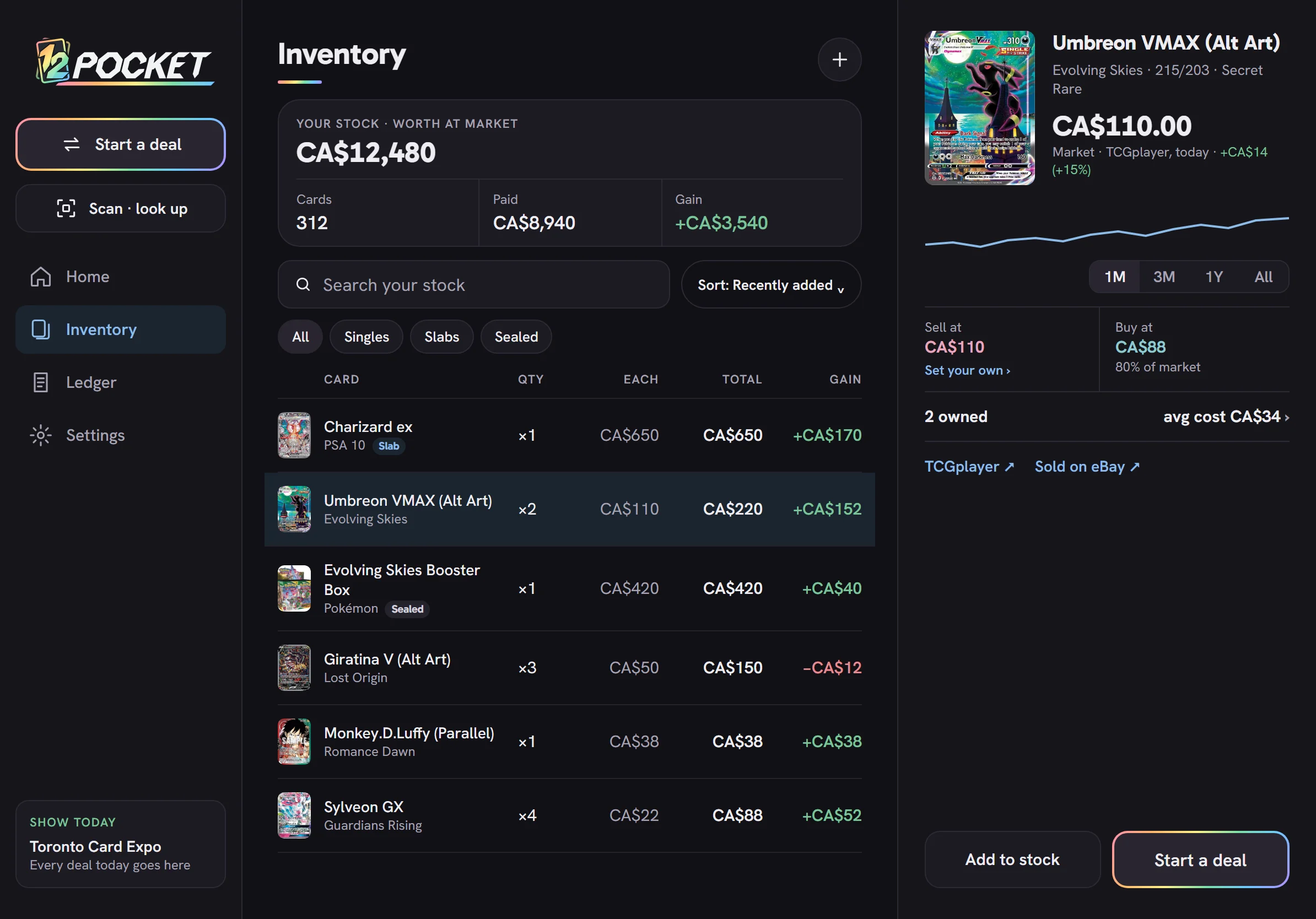
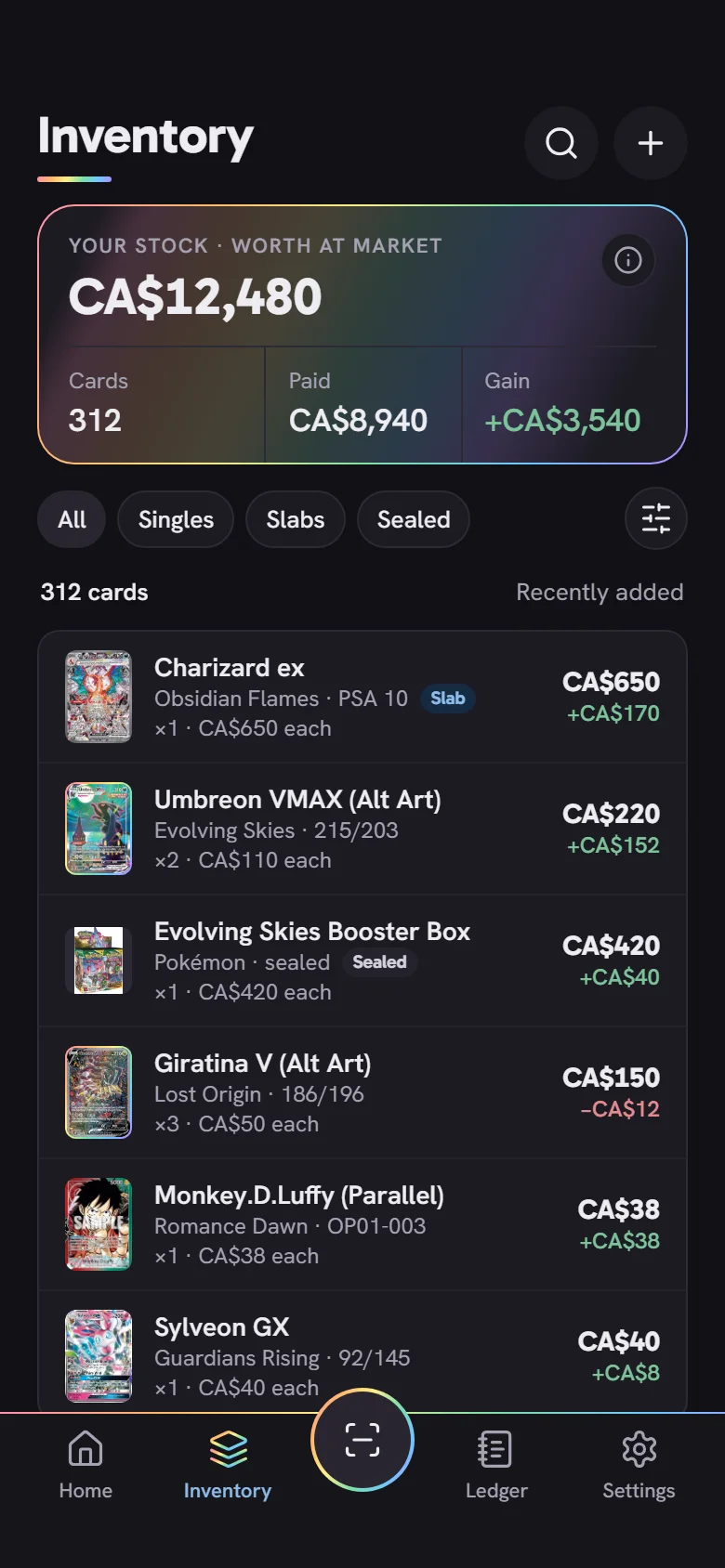
Stock that fills itself.

Every card you buy goes into your inventory at what you paid, and comes out when you sell it.

  • Load your stock before a show from a spreadsheet
  • Copies of the same card keep an average cost
  • Sell at your sell %, or set your own price on a card
The Inventory on iPad and iPhone: what your stock is worth and what you paid, then each card with its copies and price

Example stock and prices.

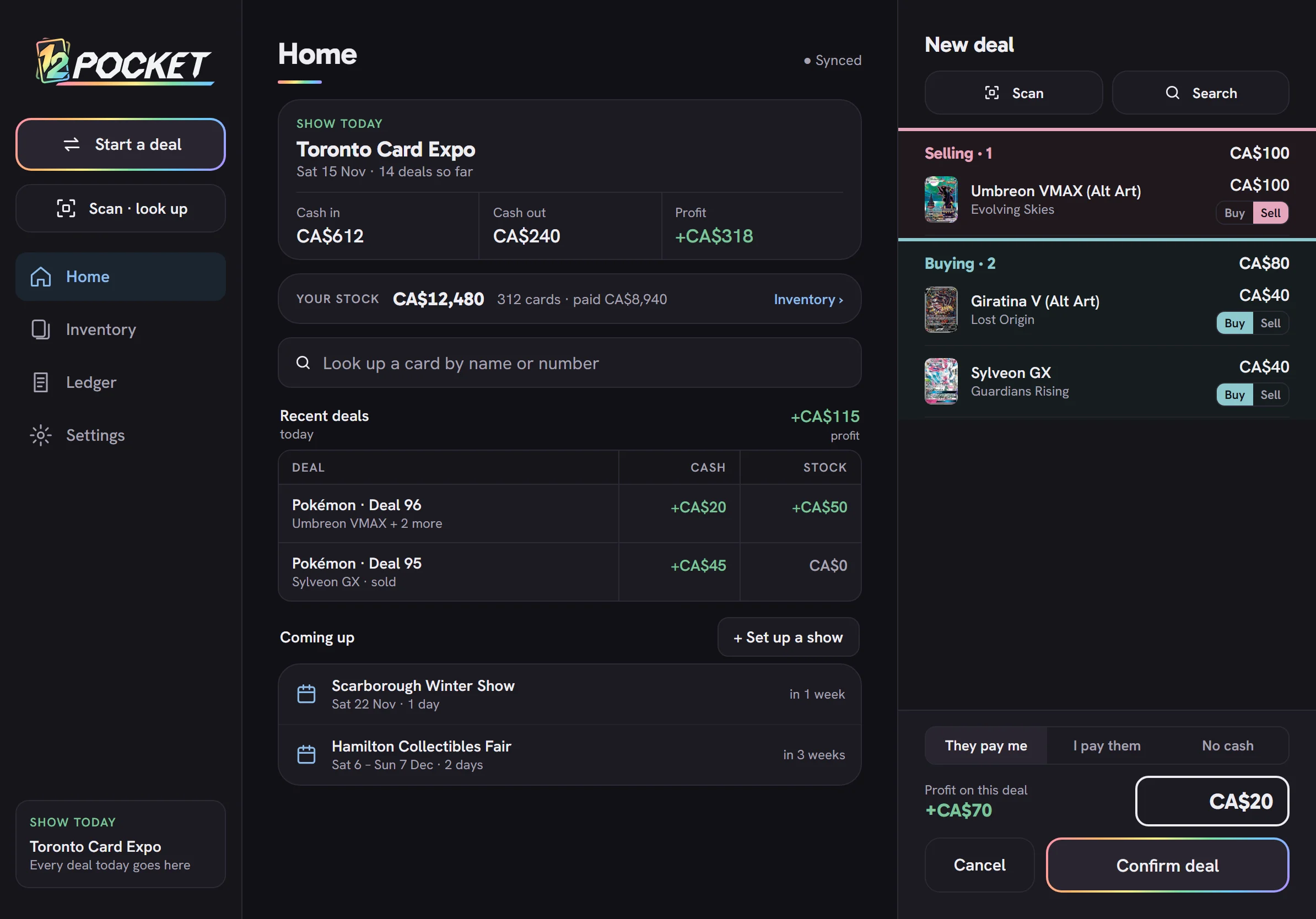
Bigger table? Use your iPad.

The deal stays open beside everything else, so you can scan, check your stock and see the day's numbers without leaving it. Pro covers your iPad too.

Twelve Pocket on iPad: Home with today's show, your stock and recent deals, with the deal open on the right

Built for the show floor.

No signal, no problem

Deals save on your phone and sync when you're back online.

Slabs and sealed

Graded slabs and sealed product go in the same deal as singles.

Ontario's shows, built in

Plan your weekends from the show list in the app.

One plan. Everything your table needs.

Pro runs your table and your books. Priced in US dollars, with no exchange-rate charge on your card statement.

Pro

Your table and your books
US$14.99 /month

or US$149.99/year, two months free

  • Unlimited deals and scanning
  • Your whole ledger, every deal you've made
  • Inventory with cost and profit on every card
  • Show comparison and export for your accountant
  • You, a helper's phone and your iPad
Try Pro free for 14 days

Bought in the App Store or Google Play. Cancel any time in your store settings. Already a vendor? Open the web app

Questions vendors ask.

What happens when the Pro trial ends?

You're back on Free and can keep making deals. Nothing is deleted: deals older than 30 days stay saved and counted in your totals, and open up again the moment you start Pro.

Does it work on Android?

Yes. It comes out on iPhone, iPad and Android at the same time.

Can my helper use it?

Yes, with Pro. It covers you, one helper on a second phone, and your iPad, on one account.

Can I get my numbers out?

Any time. Export your ledger for your accountant, or email yourself a full copy.

Run your next show from one screen.

Download Twelve Pocket and run your table free. On iPhone, iPad and Android.